sik2 WinHelper

A free, ad-free tray app that switches Windows to dark mode at set times or at sunset, and locks or moves the mouse on dual monitors with shortcuts.

Download Open-source component sources

The installer has no code signature, so Windows may show a blue warning the first time you run it, and PCs with Smart App Control turned on may block it.

If you see a warning when installing

If a blue window appears

Windows shows this window for new programs with little signature or reputation information. It does not mean a virus was found. If you downloaded the file from sik2.net, click [More info] → [Run anyway].

On PCs with Smart App Control turned on, it may be blocked without this button.

To check that the file is genuine

sik2_winhelper_Setup_1.0.19.exe SHA-256 27F53C913D38DFD91AC956F9FB4FDDA324EC637A5E2E205722478B5119E52A33

If you saved it to your Downloads folder, type this in PowerShell.

Get-FileHash "$env:USERPROFILE\Downloads\sik2_winhelper_Setup_1.0.19.exe"

If the value matches the one above, it is the same file.

If your antivirus blocks it

It may be a false positive rather than a problem with the program. Please report it here.

Program info

Supported OS
Windows 10/11 64-bit
Languages
Korean, English
Price
Free
Ads
None
Admin rights
Not needed
Version
1.0.19
Updated
2026.11.22
File size
2.7 MB
Made by
sik2
Switches the Windows theme at set times or at sunrise and sunset.

sik2 WinHelper is a small Windows utility that sits quietly in the tray at the right end of the taskbar. It switches Windows between light and dark mode automatically at set times or at sunrise and sunset. On dual monitors, it uses shortcuts to lock the mouse to one screen or move it to the other screen.

Main features

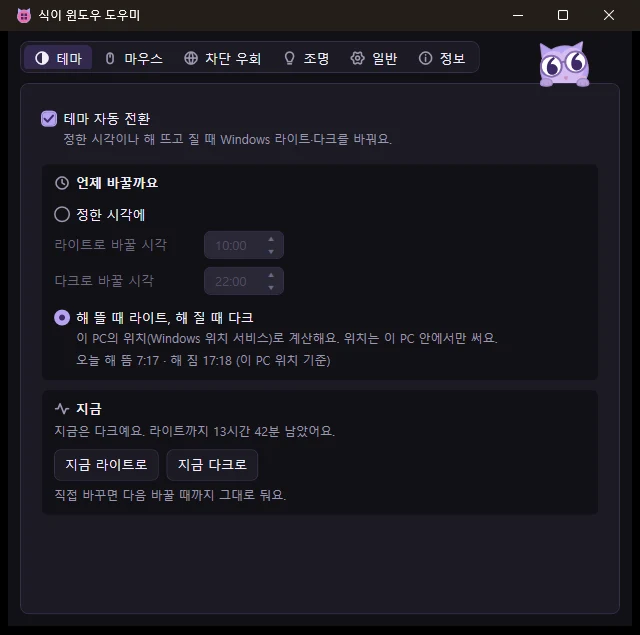
Automatic theme switching

Switches the Windows theme at set times, or to light at sunrise and dark at sunset. Sunrise and sunset times are calculated from this PC's location, found with the Windows location service, and the location never leaves the PC. It's off when you first install the app. Turn it on in the Theme tab to start.

Switch now

Switch to light or dark right away with one button. It stays that way until the next switch.

Lighting

When the theme switches between light and dark, the PC's case lighting (motherboard, RAM, and so on) changes too, to the color you set for each zone. In the Lighting tab, click a color box to pick a color, turn the lighting off, or leave it as is. Lighting is changed through OpenRGB. The app downloads it from the official source the first time you turn this on, and it runs only briefly when changing colors. RAM lighting is a beta feature and is off at first.
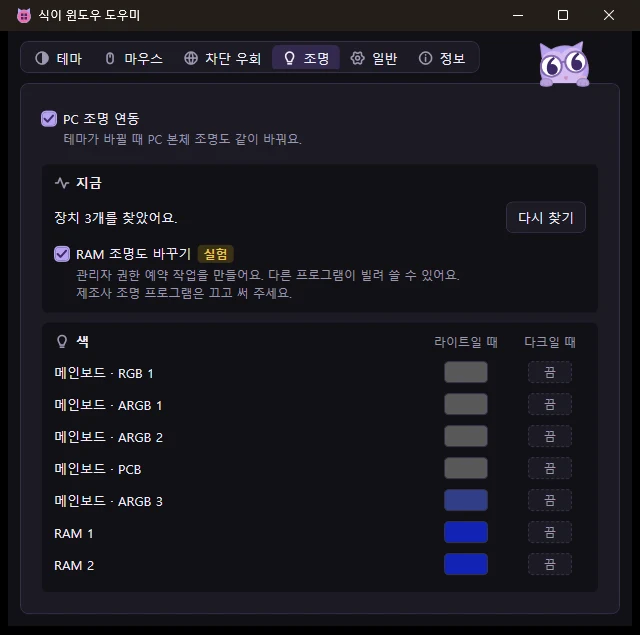
When the theme switches, motherboard and RAM lighting change to the color you set for each zone.

Dual monitor mouse

Use a shortcut to lock the mouse to the current monitor or unlock it (default Ctrl+Alt+M). You can also move it to the same relative spot on another monitor (default Ctrl+Alt+N). You can change the shortcuts, and the lock is released when the app closes.
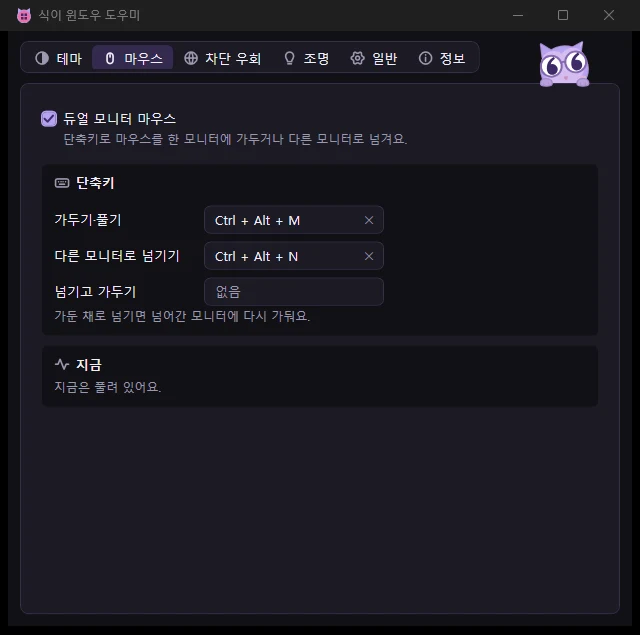
Set the shortcuts that lock the mouse and move it between dual monitors.

Pause during games

While you play a full-screen game, the shortcuts and scheduled theme switching pause. Some games may not be detected, and then the app works as usual.
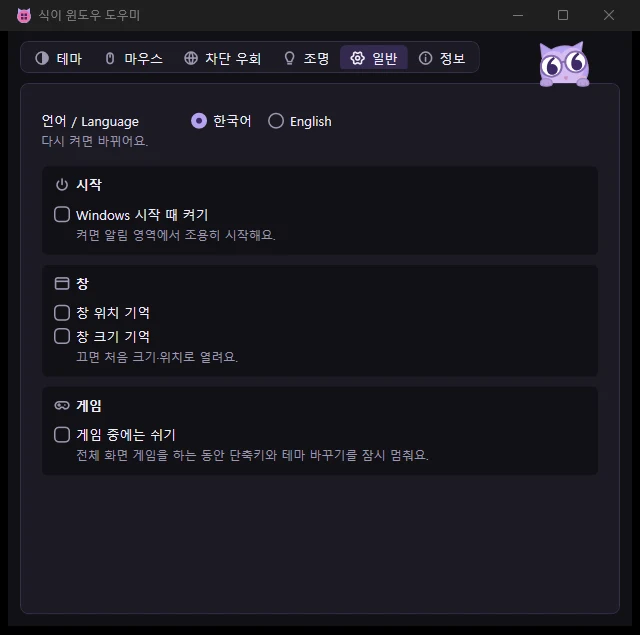
Choose the language, Open when Windows starts, window memory, and Pause during games.

In-app updates

When a new version comes out, the app tells you. Click to download it, install it, and restart. If the install fails, the version you were using opens as before.
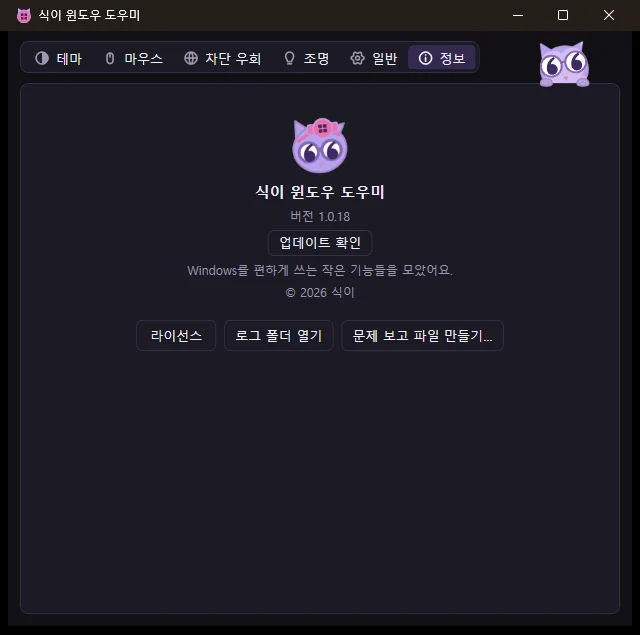
See the version, check for updates, and open the licenses.

Who it's for

  • People tired of switching by hand between light mode by day and dark mode by night
  • People who want to keep the mouse on one screen with dual monitors, or move it to a far screen with a shortcut
  • People looking for a small tray app they can set and forget
  • People who want an app without ads

Running it together with another program that does the same thing can cause conflicts, so keep only one of them running.

Installation and requirements

  • Supported Windows: Tested on Windows 11 64-bit. Windows 10 1903 or later (64-bit) also meets the requirements, but it hasn't been tested directly. It runs on .NET Framework 4.8, which comes with Windows, so there's nothing else to install.
  • Free: Anyone, including individuals, businesses, and organizations, can use it for free, including for work.
  • Administrator rights: Not needed. It only changes the current user's settings (theme, startup apps, and so on). Only turning on RAM lighting (beta) asks for administrator approval once (it needs the PawnIO driver 2.2.0 or later and doesn't work on Windows Server).
  • Open when Windows starts: Turn it on in the General tab and the app starts quietly in the tray. It's off by default.
  • Display: Follows the system light or dark mode, high contrast, and Windows text size.

Related posts

What's new

1.0.19 2026.11.22
  • Lighting: When you turn on RAM lighting and PawnIO is older than 2.2.0, the app doesn't set it up and asks you to update instead (older versions can cause a blue screen on some Windows 10 PCs). On Windows Server, it tells you that RAM lighting isn't available.
  • Lighting: The app now also notices that another lighting program is running when the SignalRGB or Armoury Crate lighting service is running.
1.0.18 2026.11.21
  • New look. The tabs moved to the top and got icons, and each tab is divided into grouped sections inside rounded cards. The features and their order are the same.
1.0.17 2026.11.21
1.0.16 2026.11.21
1.0.15 2026.11.21
1.0.14 2026.11.20
1.0.13 2026.11.20
1.0.12 2026.11.20
1.0.11 2026.11.16
1.0.10 2026.11.16
1.0.9 2026.11.14
1.0.8 2026.11.14
1.0.7 2026.11.14
1.0.6 2026.11.14
1.0.5 2026.11.14
1.0.4 2026.11.14
1.0.3 2026.11.07
1.0.2 2026.11.02
1.0.1 2026.11.01
1.0.0 2026.11.01
Need an older version?

Use it only if the new version has a problem. It lacks the latest fixes. Windows warns about installing an older version, and the app will offer the new version again.

Download version 1.0.18 2026.11.21 · 2.7 MB

Comments are on the Korean page.

← Tools