sik2 Archiver

A free, ad-free archive program for Windows that extracts ZIP, 7Z, and RAR files and creates ZIP and 7Z archives.

Download Open-source component sources

The installer has no code signature, so Windows may show a blue warning the first time you run it, and PCs with Smart App Control turned on may block it.

If you see a warning when installing

If a blue window appears

Windows shows this window for new programs with little signature or reputation information. It does not mean a virus was found. If you downloaded the file from sik2.net, click [More info] → [Run anyway].

On PCs with Smart App Control turned on, it may be blocked without this button.

To check that the file is genuine

sik2_archiver_Setup_1.0.11.exe SHA-256 A504A5FA9D81BDD275387697E2C803C8FE2D6CAFE8264703C473E0B8F274C9E8

If you saved it to your Downloads folder, type this in PowerShell.

Get-FileHash "$env:USERPROFILE\Downloads\sik2_archiver_Setup_1.0.11.exe"

If the value matches the one above, it is the same file.

If your antivirus blocks it

It may be a false positive rather than a problem with the program. Please report it here.

Program info

Supported OS
Windows 10/11 64-bit
Languages
Korean, English
Price
Free
Ads
None
Admin rights
Not needed
Version
1.0.11
Updated
2026.11.22
File size
21 MB
Made by
sik2
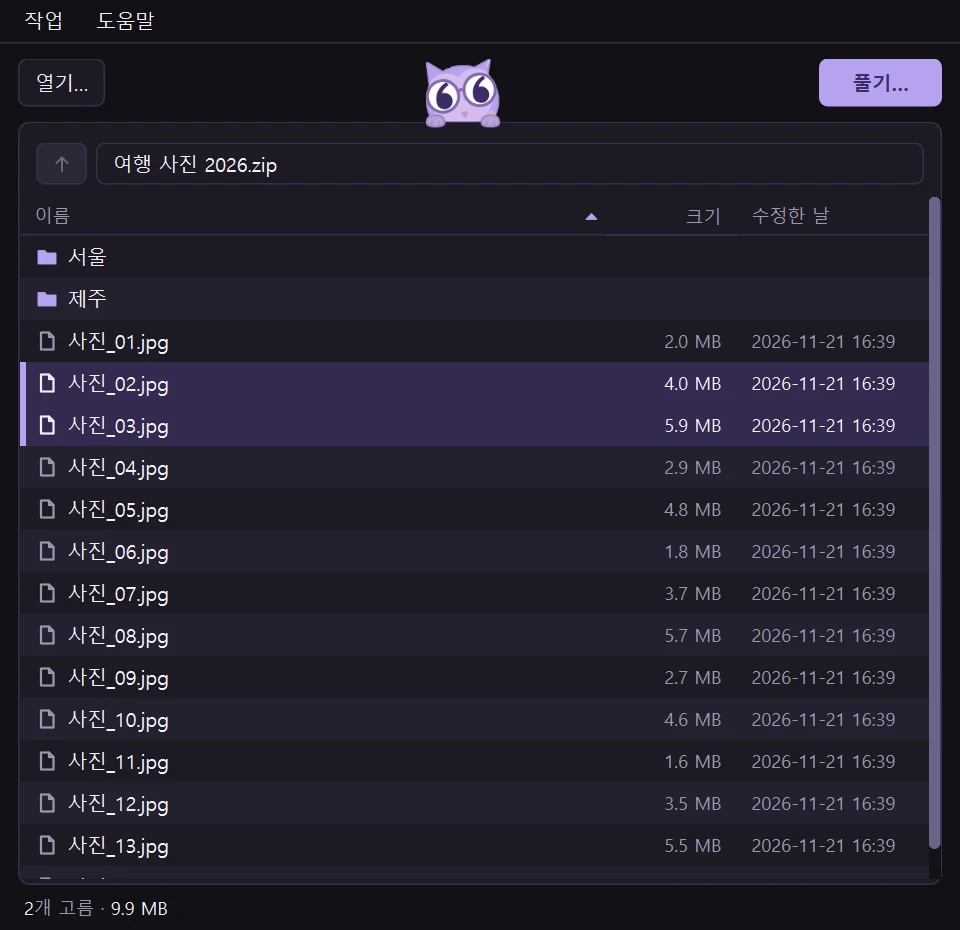
See the folders and files inside an archive as a list before you extract it.

sik2 Archiver is a free archive program for Windows that lets you look inside an archive first, extract only what you need, and create new archives. You can extract ZIP, 7Z, and RAR files right from the right-click menu, and it works as it comes without much setup. It's free at home and at work.

Main features

Look inside first

See the folders and files inside an archive as a list before you extract it. You can also open an archive by dragging it onto the window.

Extract

Extract everything or only the items you select. Opens ZIP, 7Z, RAR, TAR, GZ, BZ2, XZ, ZST, CAB, ISO, and more.
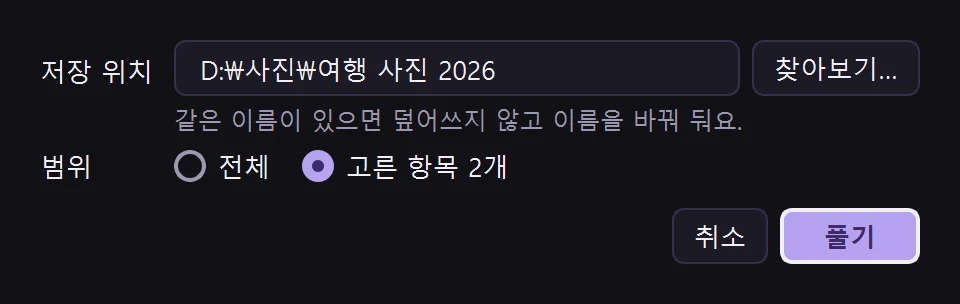
Choose where to save, and whether to extract everything or only the selected items.

Compress

Pack files and folders into ZIP or 7Z. You can also set a password. RAR is extract-only.
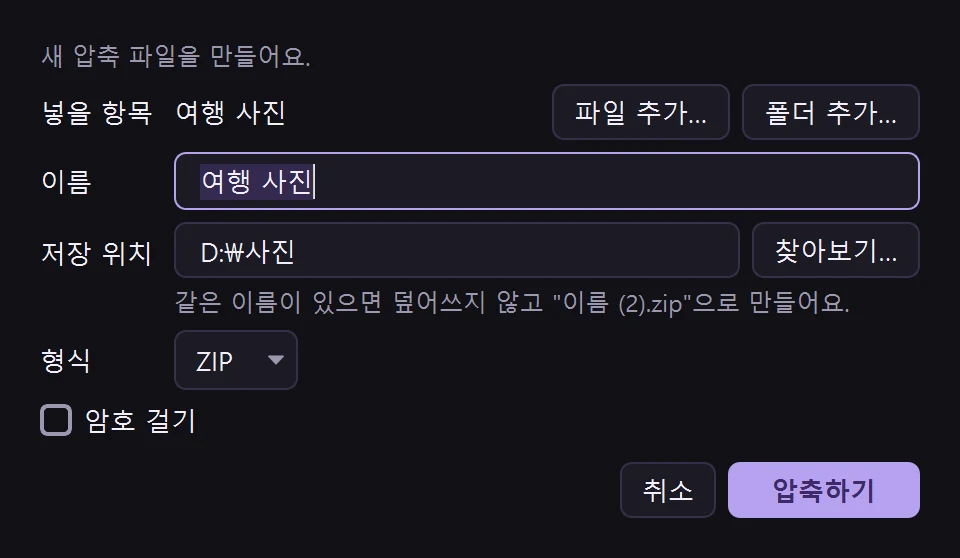
Choose the name, location, and format, and set a password if you need one.

Right-click menu

In File Explorer, right-click an archive to choose "Extract here" or "Extract to new folder", or right-click files or folders to choose "Compress…". On Windows 11, these are under "Show more options" in the menu.

No overwriting

If a file with the same name already exists, it isn't overwritten. The new file gets a different name instead. If a name inside the archive points outside the destination folder, that item isn't extracted.

Updates

When a new version comes out, the app tells you. Click to download it, install it, and restart.

Settings
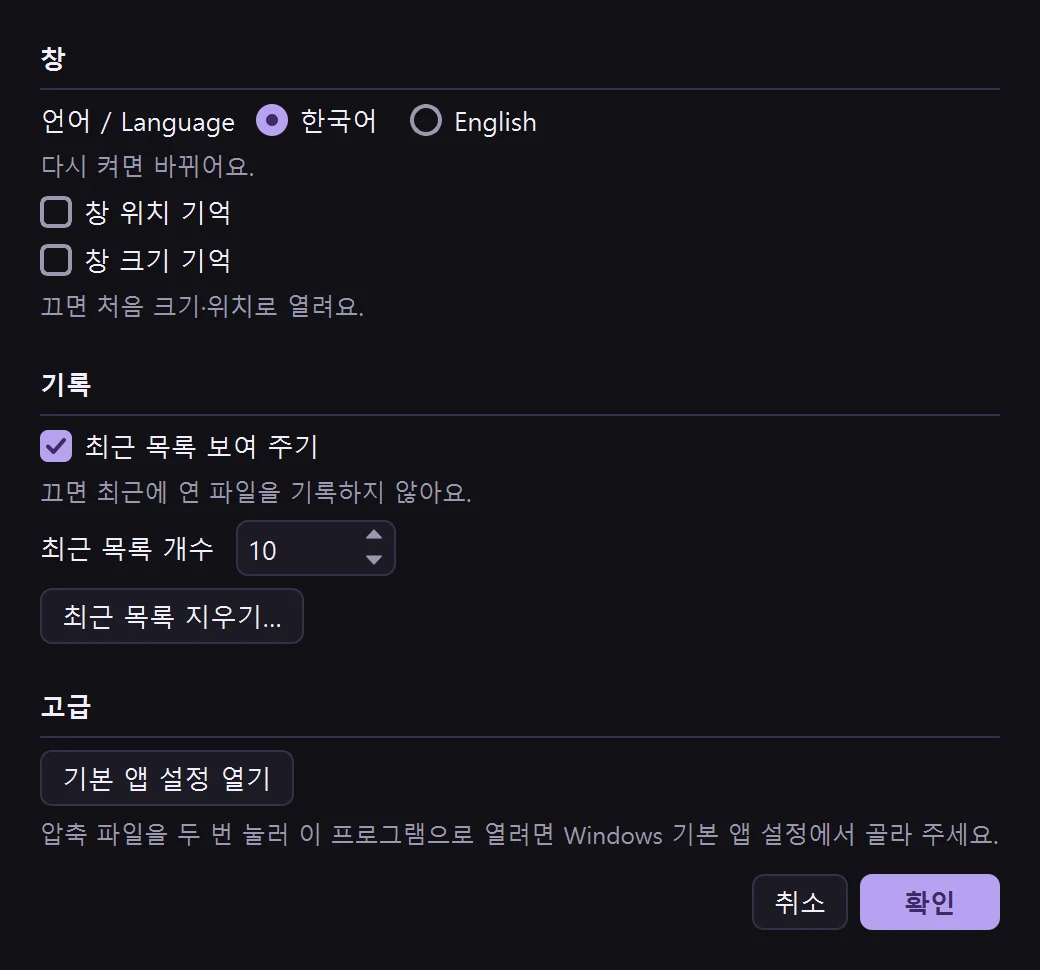
Set the language and the recent list here.

Who it's for

  • People who want to see what's inside an archive first and take out only what they need
  • People looking for a simple archive program that extracts and compresses from the right-click menu
  • People worried about existing files being overwritten
  • People who got a RAR or 7Z file and have nothing to open it with
  • People who need a free archive program they can use on a work PC without worry
  • People who want an app without ads

Installation and requirements

  • Supported Windows: Tested on Windows 11 64-bit. Windows 10 version 1809 or later (64-bit) also meets the requirements, but it hasn't been tested directly.
  • Free: Anyone, including individuals, businesses, and organizations, can use it for free, including for work.
  • Languages: Korean and English. Choose one in Settings, and it changes after you restart the app.

Related posts

What's new

1.0.11 2026.11.22
  • Shortcut keys in the menus are now in lighter text, so the item names are easier to see.
  • Menu items you can't use right now show the reason on the right (for example, "Open a file first" next to Extract…). [Clear recent list…] is in red.
1.0.10 2026.11.21
  • New look: the file list floats on a rounded card over a light purple background, and the path bar sits at the top of the card.
1.0.9 2026.11.21
1.0.8 2026.11.21
1.0.7 2026.11.20
1.0.6 2026.11.20
1.0.5 2026.11.09
1.0.4 2026.11.08
1.0.3 2026.11.07
1.0.2 2026.11.02
1.0.1 2026.11.01
1.0.0 2026.11.01
Need an older version?

Use it only if the new version has a problem. It lacks the latest fixes. Windows warns about installing an older version, and the app will offer the new version again.

Download version 1.0.10 2026.11.21 · 21 MB

Comments are on the Korean page.

← Tools